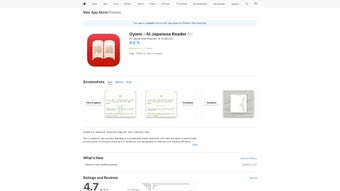

Download Oyomi – Japanese Reading App, Free, Secure, iOS & macOS
Overview
Oyomi is a web‑based Japanese reader designed to turn the often‑daunting task of reading Japanese text into a fluid, interactive experience. Whether you are a beginner wrestling with hiragana and katakana, an intermediate learner confronting kanji, or an advanced student polishing your comprehension of authentic literature, Oyomi supplies the tools you need without forcing you to switch between multiple apps or browser tabs. The platform runs natively on Apple devices, supporting iPhone, iPad, iPod touch, and macOS 12.0 or later, which means you can study on the go or from a comfortable desktop setup.
Its clean, minimalist UI highlights the passage you are reading, lets you tap unfamiliar words to reveal instant translations, and stores those words in a personal glossary for later review. Optional pronunciation aids and grammar notes help you internalize pronunciation patterns and syntactic nuances, turning each reading session into a mini‑lesson. In short, Oyomi is a secure, ad‑free, and regularly updated solution that bridges the gap between passive exposure and active learning, making Japanese reading both enjoyable and effective.
Key Features & Benefits
- Instant word lookup – tap any kanji, kana, or mixed word to see definitions, readings, and example sentences.
- Personal word bank – automatically save unknown terms for later flashcard review or export.
- Pronunciation guide – audio clips for kana and common kanji readings, supporting proper intonation.
- Grammar insights – contextual explanations appear for complex structures, helping you understand usage.
- Customizable themes – light, dark, and sepia modes reduce eye strain during long study sessions.
- Offline mode – download texts to your device and continue reading without an internet connection.
- Cross‑device sync – your glossary, notes, and settings follow you from iPhone to Mac.
- Secure cloud storage – all user data is encrypted and never sold to third parties.
- Regular content updates – new reading materials, UI improvements, and bug fixes roll out automatically.
- Free core functionality – the base app is completely free; premium add‑ons are optional and reasonably priced.
Pros
- Intuitive interface that requires no steep learning curve.
- Comprehensive word‑lookup system eliminates the need for external dictionaries.
- Integrated pronunciation and grammar support accelerates comprehension.
- Seamless sync across Apple ecosystem devices.
- Ad‑free environment preserves focus during study.
Cons
- Currently limited to Apple platforms; Windows and Android users must rely on a web browser.
- Premium features (advanced flashcards, batch export) require a modest subscription.
- Occasional latency when loading very large text files in offline mode.
Installation, Setup & Usage Guide
Getting started with Oyomi is straightforward and can be completed in just a few minutes.
Step‑by‑Step Installation
- Open the App Store on your iPhone, iPad, or Mac.
- Search for “Oyomi – Japanese Reader” and tap the Get button.
- If prompted, authenticate with Face ID, Touch ID, or your Apple ID password.
- Once installed, launch the app from your home screen or Applications folder.
Initial Configuration
When you open Oyomi for the first time, you’ll be guided through a brief onboarding wizard. The wizard asks you to choose your preferred reading level (Beginner, Intermediate, Advanced) so the app can tailor word‑lookup depth and grammar notes accordingly. You can also enable or disable the pronunciation audio and set your default theme. All settings are stored in iCloud, ensuring they travel with you across devices.
How to Use Oyomi Effectively
To start a reading session, simply import a Japanese text file (plain .txt, .epub, or .pdf) via the “Import” button, or paste a URL of an online article. The app will render the content in a clean, scrollable view. As you read, tap any word you don’t recognize; a pop‑up appears with the definition, furigana, and example sentences.
If you wish to keep the word, hit “Save” to add it to your personal glossary. Over time, the glossary builds into a powerful study aid that you can review using built‑in flashcards or export to Anki. For pronunciation practice, tap the speaker icon next to a word to hear a native‑speaker recording.
The grammar helper highlights particles, verb conjugations, and idiomatic expressions, providing concise explanations without breaking your reading flow.
Compatibility & System Requirements
Oyomi runs on iPhone, iPad, iPod touch (iOS 14 or later) and Mac computers with macOS 12.0 or newer. The web version can be accessed via Safari or Chrome on any device, but the native app offers the full feature set, including offline reading and iCloud sync.
Frequently Asked Questions (FAQ)
Is Oyomi completely free?
The core reading and lookup features are free forever. Premium tools such as advanced flashcards, bulk export, and AI‑powered grammar explanations are available via a modest subscription.
Can I use Oyomi on Windows or Android?
A web version works on any modern browser, including Windows and Android, but the native app’s offline mode, iCloud sync, and audio features are currently exclusive to Apple devices.
How does Oyomi protect my personal data?
All user data—including saved words, notes, and settings—is encrypted in transit and at rest using Apple’s iCloud security framework. The company’s privacy policy explicitly states that no data is sold to third parties.
What file formats can I import?
Oyomi accepts plain text (.txt), e‑book (.epub), and PDF files. For PDFs, the app uses OCR to make selectable Japanese text, which works best with clear, high‑resolution documents.
Is there a way to test the premium features before buying?
Yes. Oyomi offers a 7‑day free trial of its premium suite. During the trial you can explore advanced flashcards, batch export, and AI grammar assistance without any charge.
Conclusion & Call to Action
Oyomi stands out as one of the most user‑friendly Japanese reading tools on the market today. Its seamless blend of instant word lookup, pronunciation support, and personalized vocabulary tracking turns passive reading into an active learning session. While the lack of native Windows or Android apps may limit some users, the web version still offers a robust experience, and the native iOS/macOS app delivers unmatched convenience with offline capabilities and cloud sync. Whether you are a student preparing for the JLPT, a professional needing to skim Japanese documents, or a hobbyist simply enjoying manga, Oyomi provides a secure, ad‑free environment that respects your privacy and accelerates progress.
Ready to boost your Japanese reading confidence? Download Oyomi now and start your free trial of the premium features today. Your next breakthrough in Japanese comprehension is just a tap away.



.png)



